Top 10 Mac Features you should explore in 2025
The Apple Mac has long been synonymous with innovation, elegance, and power, making it a favorite among professionals, creatives, and everyday users alike. Each year, macOS introduces a host of features designed to enhance productivity, simplify tasks, and unlock new possibilities.
Whether you’re a seasoned Mac user or a newcomer to the ecosystem, staying updated on the latest tools and enhancements can make all the difference in how you use your device.
Universal Control
Continuity Camera
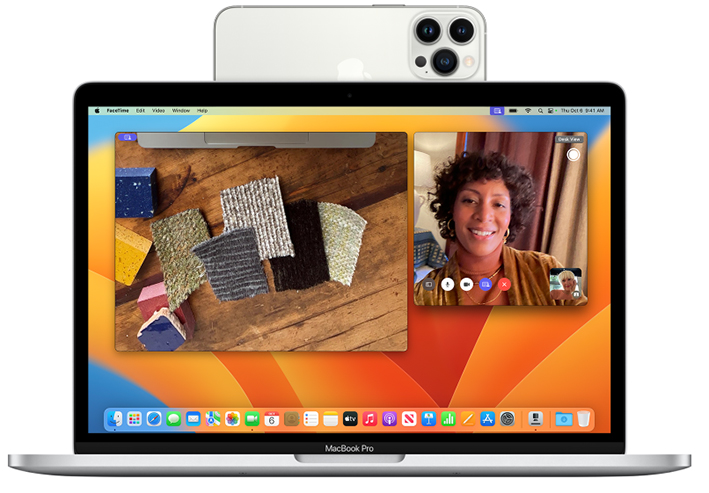
Did you know you can now use your iPhone as a webcam for your Mac? This includes powerful camera systems such as Center Stage, Portrait mode, Studio Light, and Desk View. Continuity Camera mounts and other iPhone-compatible mounts available to support this feature. When mounted, make sure your iPhone is near your Mac, locked and stable. you can apply Continuity Camera wired or wirelessly. To keep your iPhone powered, connect it to your Mac or a USB charger. Your Mac will alert you if your iPhone's battery level runs low.
Stage Manager
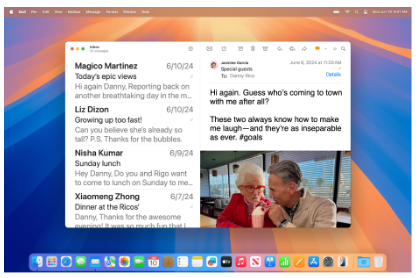
Stage Manager is one of the most transformative features introduced in macOS, designed to help users stay organized and focused while multitasking. It provides a unique way to manage windows, grouping apps and tasks into "stages" that make it easier to switch between workflows without getting overwhelmed.
Optimized Battery Charging
It's no secret that MacBooks have a long battery life. Optimized Battery Charging is designed to extend your Mac’s battery lifespan by minimizing the time your Mac spends at full charge. When enabled, your Mac intelligently delays charging beyond 80% in specific scenarios. By learning your charging habits, this feature ensures your Mac is fully charged and ready to use when you unplug it.
Passkeys
When it comes to security, Apple offers robust features to keep your information safe. One standout innovation is Passkeys, a secure and convenient alternative to traditional passwords.
Passkeys let you log in to apps or websites without the need to create or remember passwords. Instead, identity verification is handled through Touch ID or Face ID, ensuring a seamless and secure login experience. You can easily create and save Passkeys for compatible apps and websites, simplifying authentication while enhancing security.
Enhanced Spotlight Search
Spotlight Search has always been a cornerstone of macOS, providing a quick and intuitive way to find files, launch apps, and perform basic calculations. In its latest iteration, Spotlight has been supercharged with new capabilities, making it an indispensable tool for productivity, exploration, and convenience
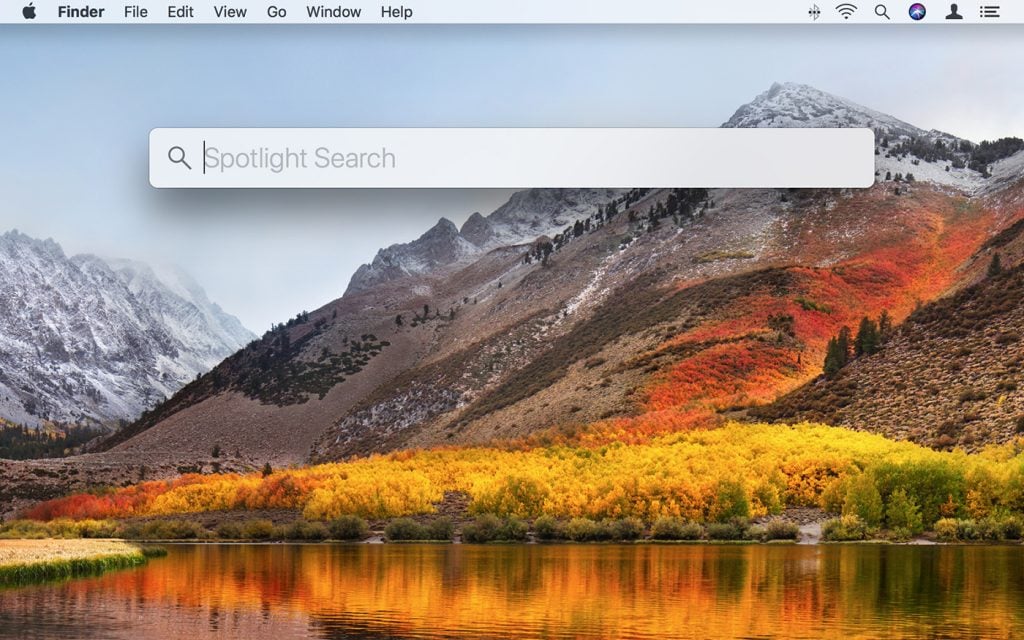
- Rich Web Results: Spotlight now delivers richer, more detailed web results directly within the interface.
- Image Search: You can now search for images stored on your Mac, in Photos, or even on the web.
- Quick Actions: Spotlight enables quick execution of tasks without needing to open separate apps (ex: set a timer)
- Improved File Previews: Preview documents, emails, and images right within Spotlight by hovering over the search result.
- Integration with Live Text: Spotlight can now find text within images using macOS’s Live Text feature.
Focus Modes
Use Focus Modes when you need to concentrate and minimize distractions. With this feature, you can pause all notifications, silence them, or allow only specific ones—such as urgent messages from colleagues about a critical project. Additionally, you can let others know your notifications are silenced, so they understand you’re busy.
If your Mac is powered by an M1 chip or newer, you can also take advantage of the “Limit Interruptions” Focus. This feature uses Apple’s advanced intelligence to show only the most important notifications, ensuring you can keep your focus and productivity levels on key.
Airdrop Upgrades
If you've never used Airdrop before, now is the time to implement this feature into your daily use.
AirDrop lets you send files, such as photos, videos and documents, wirelessly to a nearby iPhone, iPad or Mac. You can use AirDrop to send files to your own devices or to share files with others.
The files are sent encrypted and the recipient can accept or reject the files upon receipt.